 AdonisIQ
You already wear the watch. You close your rings, record workouts and accumulate weeks or months of heart rate, sleep and activity history. Yet it can still be hard to answer a practical question: what should I do on Tuesday? The point isn't to collect more metrics. It's to connect the ones you already have with your training goal, lifting performance and recovery.
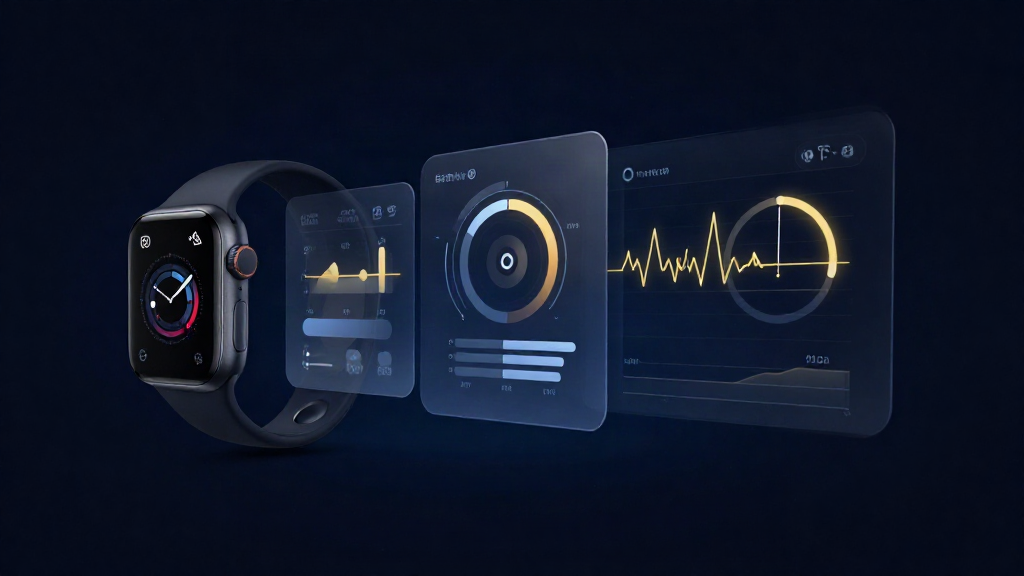
Apple Watch has become more capable than a simple recorder: it provides Training Load, Vitals, and a newer Readiness score on supported Series 12 and Ultra 4 models. These are useful starting points. But no score knows every set and rep you've completed, how much you ate, or which outcome matters most to you. A real training plan still needs a goal, a progressive exercise program and sensible adjustments over time.
Key takeaways
- Know what the Watch measures. Training Load, heart-rate trends, sleep and Vitals can add context, but measurements and features depend on model, software and permissions.
- Establish personal trends. Two or three weeks is a helpful starting observation period, not a reason to delay exercise while waiting for perfect data.
- Use three buckets: training load, recovery context and sleep; pair them with actual performance in your chosen workouts.
- Don't train by HRV alone. No universal rule says two low readings mean you must rest or a high reading means you must push.
- Review once a week. Keep what is working, identify an important constraint and change one manageable variable.
What your Apple Watch actually measures—and what it leaves to you
Depending on the model and setup, Apple Watch can collect heart rate, resting heart rate, heart-rate variability (HRV), respiratory rate, sleep data, activity and workout duration, estimated active energy, and other measurements. Blood oxygen availability depends on model, market and device configuration. Heart-rate sampling is not identical across generations: for example, Apple announced higher-frequency continuous measurements for Series 12 and Ultra 4, whereas earlier models often use intermittent background measurements.
Apple's built-in features are not merely three Activity rings anymore. Training Load compares the intensity and duration of your past seven days with the preceding 28-day load pattern. Vitals displays overnight measurements against your typical ranges. On supported latest-generation models, Readiness combines recent activity, sleep and physiology into a daily score. Apple describes those newer features here.
What remains difficult is deciding whether a specific weight-room session should change. A rising activity ring or Training Load value does not tell you whether your squat sets progressed, whether you're getting enough dietary protein, or whether a short night makes today's hard session unsuitable. These decisions need the program itself, not just a wearable dashboard.
| Signal | Where to find it | What it helps with | Important limitation |
|---|---|---|---|
| Training load | Activity → Training Load; workout history in Fitness | See how recent duration and effort compare with your previous load | Not a substitute for logged sets, weights or reps |
| Resting heart rate | Health → Heart → Resting Heart Rate | Spot changes relative to your own baseline | Stress, illness, medication and context may matter |
| HRV | Health → Heart → Heart Rate Variability | Additional autonomic trend when measured consistently | SDNN sampling and device differences complicate day-to-day comparisons |
| Sleep | Health → Sleep; Vitals for supported overnight metrics | Spot repeated sleep shortfalls and changes from typical patterns | Stages and scores are estimates, not a diagnosis |
| Workout performance | Your lifting/workout logs, such as supported Adonis Forge history | Check whether loads, reps and perceived effort are improving | Apple Watch alone does not record every resistance-training set accurately |
| Nutrition and energy intake | Your food logs and supported connected sources | Assess whether fuel/protein intake supports the plan | Watch calorie-burn estimates cannot establish exact maintenance |
Building a weekly plan: load, recovery and sleep together
Start with the kind of training you actually want to do—strength gain, muscle growth, fat loss, endurance or a mix. Then build a simple routine around the original article's three useful categories: load, recovery and sleep.
1. Build a baseline before optimizing every number
Spend roughly two to three weeks noticing resting heart rate, HRV, sleep duration and training workload. If you're already training, continue a sustainable program; you don't need to postpone exercise until the baseline is complete. Your goal is a sense of what is typical for you, not a competition against population averages.
For HRV, compare similar measurement conditions and the same metric. Apple Health commonly stores HRV as SDNN and measurements are not necessarily collected at the same time every morning. A random 48-ms sample might be a meaningful change or might be normal fluctuation. For details, see our HRV and Training guide.
2. Pick a practical number for each signal
Load: consider weekly training duration and relative effort from Apple's Training Load, then add your resistance-training logs (sets, reps, weight and how hard sets felt) if lifting is your priority. Recovery: choose a consistently measured trend such as resting heart rate, supported Vitals measurements or comparable HRV samples. Sleep: track total time and repeated nights below what normally leaves you rested. More metrics are not always more useful.
3. Read the trend, not a single day
One low HRV reading after a poor night rarely justifies changing an entire training week. A pattern of several short nights, unusually hard warm-ups, declining performance and changed resting heart rate is more informative. Look for corroboration; watch readings alone generally cannot identify whether the cause is training, illness, stress, alcohol, medication or insufficient fuel.
4. Let recovery inform intensity—not automatically dictate it
The original idea is right: don't follow last month's calendar so rigidly that you ignore repeated signs of poor recovery. But the rule “HRV above baseline = push; below baseline twice = rest” isn't validated for strength training. Instead, start the planned workout and use your warm-up, physical symptoms and recent trends to determine whether to complete it, omit optional volume or choose an easier session.
If your usual workout suddenly feels unusually difficult and you've slept poorly for several nights, replacing a demanding finisher with easy cardio or moving a hard day may be sensible. If your HRV is below average but you feel normal and your warm-ups are strong, there's no reason to assume a mandatory deload.
5. Protect a realistic sleep floor
Sleep contributes to recovery, learning and overall health. Instead of letting an Activity ring force extra exercise on a poorly rested day, consider your sleep trend and why it changed. You may benefit more from protecting a regular sleep opportunity and easing optional training stress than from doing another workout just to close a ring.
6. Review weekly, and adjust one variable
Once per week, inspect planned versus completed workouts, lifting performance, training load, sleep and nutrition. Make a small decision based on the goal: keep the current routine, adjust training volume, shift a hard workout, or improve consistency. A sudden overhaul based on one anomalous data point makes it harder to learn what actually works.
Where to find the measurements on your devices
For recent Apple Watch software, open the Activity app and choose the Training Load view to see the recent seven-day load relative to the prior 28 days. In the Vitals app you can review overnight metrics and typical ranges. The iPhone Health app provides longer-term heart-rate, HRV and sleep history. In Fitness, review completed workouts; exact tabs and labels depend on iOS/watchOS version.
For lifting, compare those values with an exercise log that records sets, load, reps and progression. Apple notes that strength workouts may require you to rate your effort manually for Training Load; automatically inferred cardio effort isn't the same as strength training volume or proximity to failure.
A simple weekly training plan informed by Watch data
This example is a starting layout, not a prescription generated from any specific person's data. Keep the same repeatable main sessions long enough to evaluate progress. Use wearable trends as context rather than changing exercise selection every morning.
| Day | Planned session | What to check before starting | Illustrative adjustment |
|---|---|---|---|
| Monday | Lower-body strength | Sleep, soreness and warm-up performance | Proceed with planned work if normal |
| Tuesday | Easy cardio or recovery | Fatigue and recent load | Keep it easy if recovering from Monday |
| Wednesday | Upper-body strength | Repeatable lift performance, sleep, symptoms | Consider fewer optional sets if several signals look poor |
| Thursday | Rest or light activity | Sleep trend and total load | Protect recovery without chasing ring closure |
| Friday | Full-body or second priority session | Recent effort and readiness for key lifts | Keep challenging work if warm-ups and performance support it |
| Weekend | Preferred cardio/activity, plus weekly review | Week's session quality, load, sleep and nutrition | Hold or make one modest change for next week |
Someone training four or five lifting days can apply the same method to that schedule. Training Load and readiness metrics help describe broader strain; they don't replace exercise-by-exercise progressive overload.
Turning the data into one next move
| When you see… | First question | Next move to consider |
|---|---|---|
| Load rising, performance improving, sleep stable | Is the training progressing without undue fatigue? | Generally keep the plan; don't reduce training because of one odd wearable reading |
| One low HRV sample, otherwise normal | Was the sample taken at a different time or after a short night? | Check measurement conditions and warm up as planned |
| Repeated short sleep, higher resting HR, and hard warm-ups | Is illness, stress, under-fueling or accumulated workload involved? | Consider removing optional hard work or taking an easier day |
| High training minutes but stalled lifts | Are minutes hiding inadequate progressive overload or excessive fatigue? | Review sets/reps/load and exercise selection, not just watch metrics |
| Weight dropping quickly, workouts worsening | Are calories, carbs, protein and sleep adequate? | Review fueling and recovery before adding more training |
| Readiness score high but you feel unwell | Could illness or injury be present? | Prioritize symptoms and safety over a numerical score |
The aim is to make a proportionate decision, not to pretend one marker diagnoses under-recovery. Never use a watch score to push through concerning symptoms; persistent unusual fatigue, dizziness, chest symptoms or other medical concerns should be assessed by an appropriate professional.
How AdonisIQ turns those signals into daily coaching context
Running this process manually can work: open Activity, Vitals, Fitness and Health, compare your recent training and recovery, then decide what to do next. It also takes consistency, and that is the problem AdonisIQ is designed to solve.
AdonisIQ brings supported training, nutrition, sleep and recovery inputs together with workout records and trends. Coach Adonis and the AdonisIQ Score are meant to provide an understandable view of progress and guidance that relates to your actual goal—not only another graph. The useful question is not simply “What was my HRV?” but “Given what I trained, ate and recovered from, what should I focus on next?”
That guidance depends on the information the app actually receives. An Apple Watch alone does not supply all resistance-training sets, reps or meal-level nutrition. Some data must be logged, synchronized through supported integrations or entered manually. No coaching app can infer every cause of fatigue from sensor values or guarantee the ideal workout decision.
Adonis Forge helps with workout planning and logging in supported AdonisIQ versions, complementing the coaching layer. See the FAQ and Support for current features, and our Apple Watch Cardio Recovery guide for another recovery measurement.
Your next move
Your watch already provides useful data. The value comes from setting a goal, keeping a repeatable training plan, building your personal reference range and using the trends to make fewer, better decisions. Pick a few relevant metrics, check how your workouts actually performed and make a weekly adjustment only when the full context supports it.
Your Data. Your Next Move.
Bring training, nutrition and recovery together. Eligible new subscribers can explore AdonisIQ with a 14-day free trial.
Explore AdonisIQ ↗Frequently asked questions
Can Apple Watch create a personalized training plan by itself?
Apple provides training-load, sleep and, on supported models, readiness insights, plus workout tools. But a detailed strength plan still requires exercises, sets, weights, reps, goals and progressive overload. Those don't automatically emerge from Activity rings.
What Apple Watch data matters most for lifting?
Workout history, broad load trends, sleep and comparable recovery measurements can add context. Log actual lifting performance, because watch activity minutes don't capture how your working sets are progressing.
Should I skip a workout when Apple Watch HRV is low?
Not solely because of one sample. Check whether it is unusual for your own measurement history and whether other signs—poor sleep, fatigue, illness or declining performance—support an adjustment.
How many weeks do I need for a recovery baseline?
Two to three weeks of consistent observations is a useful initial window, and more history can help. It isn't a fixed clinical requirement or a reason to pause sustainable exercise.
What's the difference between Apple's Training Load and an exercise plan?
Training Load describes how duration and effort over the past week compare with the prior weeks. A plan adds specific exercises, progression goals, and choices about what to do next based on your priorities.
Official references and further reading
- Apple Support. Track your training load on Apple Watch. Describes the seven-day versus 28-day comparison.
- Apple Support. Track your vitals on Apple Watch. Describes typical overnight ranges and supported measurements.
- Apple Support. Monitor your heart rate with Apple Watch. Explains sensor measurement and model differences.
- Apple Newsroom. Apple advances health and fitness capabilities using Apple Intelligence. Details newer heart-rate and readiness features.
- Apple Developer. HealthKit: Heart Rate Variability SDNN.
- Javaloyes A et al. HRV-guided training and endurance performance: systematic review and meta-analysis. Used for context about research limits.
General fitness education only, not medical advice or an individualized exercise prescription. Device features vary by hardware, software and region.